Lantern MCP for Claude
Lantern MCP brings AI search intelligence into Claude. Track brand mentions, trace citations, compare competitors, and spot gaps in your AI visibility.
On this page
On this page
Lantern MCP for Claude brings AI search intelligence directly into Claude. This guide explains what teams can accomplish with that intelligence and details how to complete the connection. It also shows how organizations use that data to monitor, benchmark and improve brand visibility across major AI platforms.
What Is Lantern MCP for Claude?
Lantern MCP for Claude is a connector that links Lantern directly to Claude using the Model Context Protocol — a framework created by Anthropic that lets AI assistants connect to other tools and data sources in a standardized way.
Key capabilities include:
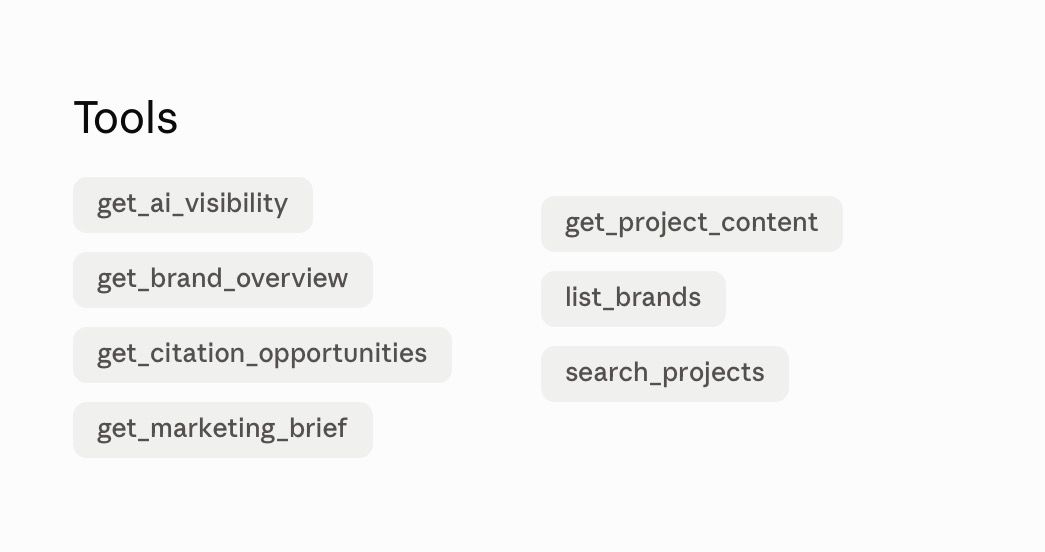
- Brand mentions: Track how often brands appear across ChatGPT, Claude, Gemini, and Perplexity.
- Citation sources: See which URLs AI search engines use when describing or recommending a brand.
- Brand sentiment: Analyze how brands are characterized in AI-generated responses.
- Competitor performance: Benchmark visibility against a defined set of industry competitors.
- Topical performance: Understand how visibility changes across distinct content themes.
How to Connect Lantern to Claude
Connecting Lantern to Claude takes less than five minutes and requires no technical setup.
Use the Claude Connectors Directory and follow these steps.
- Open Customize then select Connectors in Claude
- Search for Lantern
- Select Connect
- Sign in to the Lantern account when prompted
- Review the connection details and select Allow connection
- Enable Lantern in the conversation where it is needed
Claude Pro and Max users can also add Lantern as a custom connector using this server URL: https://api.asklantern.com/mcp
For complete setup instructions, including OAuth settings, visit docs.asklantern.com/mcp/lantern
For Claude Team and Enterprise accounts, an organization owner must first add Lantern at the organization level. Each team member will then need to connect their own Lantern account individually.
Where Lantern MCP for Claude Fits
The integration slots into the workflow at three critical junctures: research, reporting, and decision-making.
During the research phase, teams identify which competitor domains command the highest citation share for target keywords. Strategists can immediately pivot into content gap analysis without switching between different tools.
For recurring performance reviews, the integration eliminates manual data extraction and repetitive slide building. Claude synthesizes complex citation trends into clear executive briefings in seconds.
This contextual availability is the real breakthrough. By bringing Lantern’s data into Claude, the integration removes friction from the workflow and helps marketers move more quickly.
Frequently Asked Questions
1. What is Lantern MCP for Claude?
Lantern MCP for Claude connects search intelligence directly to Claude. Teams can explore brand visibility and citation sources inside ordinary conversations. The integration also tracks competitor benchmarks alongside brand sentiment and topical trends.
2. What can teams accomplish with Lantern in Claude?
Users can review brand mentions across leading conversational platforms. The integration identifies the exact website sources cited by artificial intelligence models. Teams can also benchmark competitor performance and analyze brand sentiment across specific topics.
3. Which artificial intelligence platforms does Lantern track?
Lantern tracks brand visibility across ChatGPT and Claude alongside Gemini and Perplexity. It also reveals the specific citation sources that shape how these platforms describe brands.
4. How do users connect Lantern to Claude?
Open Customize in Claude and select the Connectors menu. Search for Lantern and click Connect. Sign in to your account when prompted before approving the connection. Finally, enable Lantern inside any conversation where intelligence is needed.
5. Is technical knowledge required to install the integration?
No technical background is needed. Standard installation takes less than five minutes through the Claude Connectors Directory. Claude Pro and Max subscribers can also configure a custom connection using the official server link.
6. Can organizations use Lantern MCP with Claude Team or Enterprise plans?
Yes. An organization administrator must first enable Lantern at the workspace level. Individual team members then authenticate their personal Lantern accounts to access their data.
Take the Next Step
AI search is becoming a critical channel for brand visibility. Lantern helps teams track how their brands appear across major AI platforms, benchmark performance against competitors, and identify where to improve, all within Claude.