Introducing Beam
Run marketing work at scale with Beam by Lantern. Use Al agents across hundreds of tasks to research, create, optimize, and update content in bulk.

On this page
On this page
Running the same marketing task across multiple pages, keywords, or prompts can become repetitive when each item is handled separately. Beam by Lantern brings that work into a single grid, where teams can apply agent actions across multiple items in a batch.
This guide covers Beam’s key features and how to use them in your marketing workflows.
Key Takeaways
- Beam runs the same bounded task across many rows, such as pages, keywords, records, or prompts.
- Grids can start from four sources: a blank grid, a CSV file, a sitemap, or Google Search Console data.
- Agent columns produce outputs, including SERP research, content briefs, article drafts, page refreshes, meta titles, and brand-voice QA.
- Usage is shown before each batch runs. Each selected cell reserves one included agent run.
What Is Beam?
Beam is a Lantern feature for applying agent actions across structured rows. Each row holds the inputs for a task. Agent columns define the actions applied to those inputs.
Beam is built for tasks that follow the same defined process across many items. Instead of handling each input as a separate request, teams organize the work in a grid and run selected actions across multiple cells in a batch.
How to Use Beam
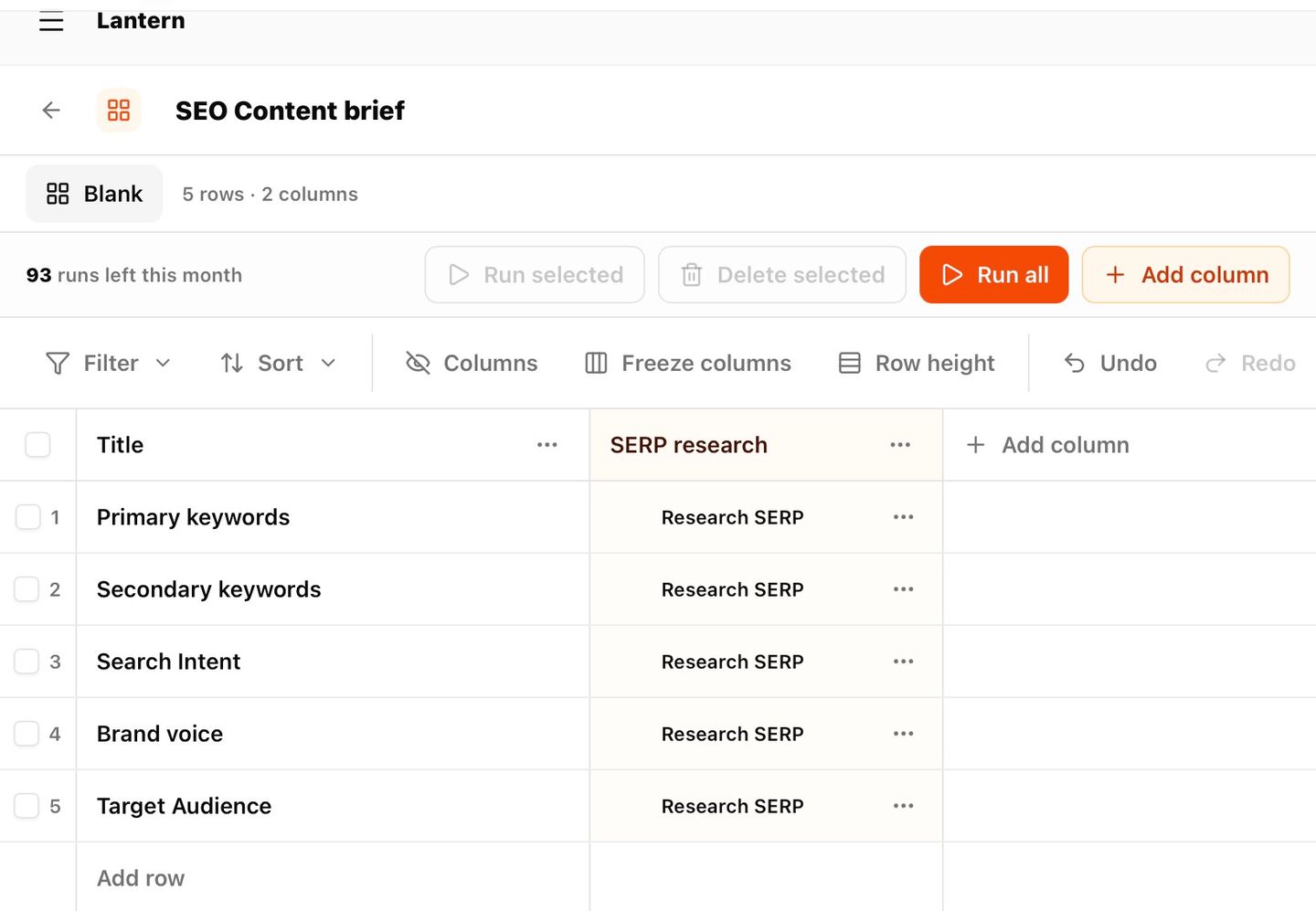
Step 1: Create a Beam Grid
Every Beam workflow starts with a grid. Teams can begin from:
- A blank grid: for building rows manually
- A CSV file: for importing existing lists of keywords, URLs, or records
- A sitemap: for pulling in a site's pages directly
- Google Search Console data: for working from real search performance data
Step 2: Add Agent Columns
Agent columns transform row inputs into outputs. Available actions include:
- SERP research: Analyze search results for a keyword or topic.
- Content briefs: Create structured briefs for writers or agents.
- Article drafts: Generate article drafts from row inputs.
- Page refreshes: Update existing content.
- Meta titles: Generate search-ready titles.
- Brand-voice QA: Check outputs against brand standards.
Teams can chain columns. For example, SERP research can feed a content brief, which can then feed an article draft.
Step 3. Review Usage Before Running a Batch
Each selected cell reserves one included agent run. Before the batch starts, Beam displays the selected cells and expected allowance so teams can review the scope of the run.
The plan determines the maximum number of cells per batch. Beam supports grids of up to 100 columns and 1,000 rows, subject to payload and plan limits.
Why Beam Matters
Modern marketing organizations are rarely bottlenecked by strategy. They are constrained by the exhausting process of handling highly repetitive tasks one isolated item at a time.
Beam fixes this by bringing batch execution to marketing operations. Teams define an action once, run it across every row in a grid, and turn manual work into structured outputs at scale.